XRTV - Extended Reality Television
An Interactive Learning System for Exploring Overlooked and Unfamiliar Forms of Interaction with Visual Media
XRTV (Extended Reality Television) is an interactive learning on Meta Quest 3 that lets people explore overlooked and unfamiliar ways of interacting with visual media, from turning the dial on a 1975 colour CRT to swiping through a gesture-controlled smart TV
Overview
Context
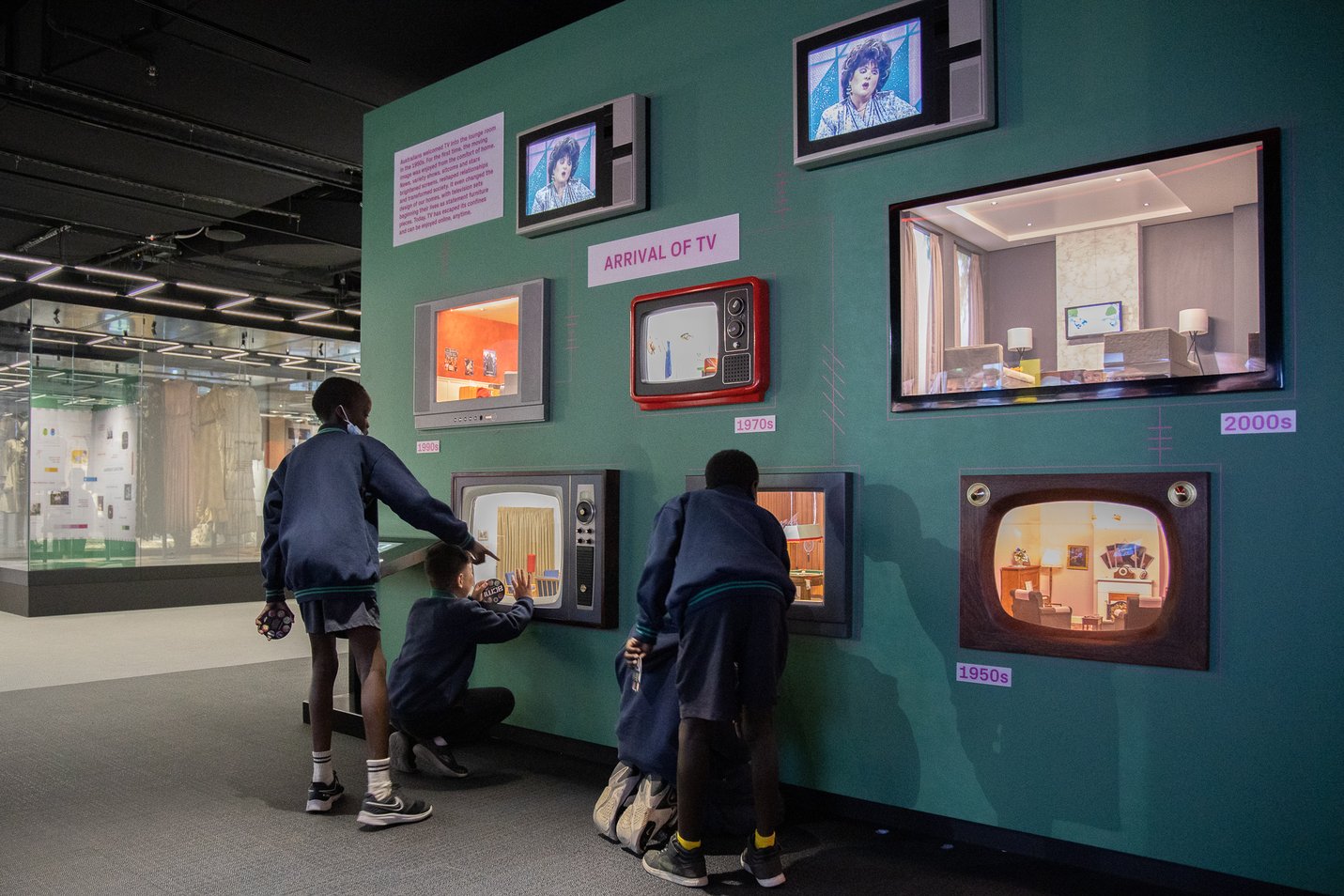
On a visit to ACMI we noticed a lack of contextual understanding around television history. Younger people rarely watch conventional TV, don't know older models, and few have heard of gesture-controlled TVs. Static text and images do little to bridge that gap.
Approach
Using the double diamond model, we combined secondary research with 7 interviews and 24 surveys, then built two parallel high-fidelity prototypes - ShapesXR for UI and onboarding, Unity for realistic, tangible and gesture interaction.
Outcome
A mixed-reality system where a physical dial on a miniature retro TV controls its virtual digital twin, plus a gesture-controlled TV. Tested with 12 participants and 13 exhibition visitors, who found hands-on learning more engaging than reading or lectures.
Role
Product Designer
Timeline
March 2025 - May 2025
Collaborator
Sakdiphat Tanphiphatari - XR Developer
7
semi-structured interviews
24
survey respondents
2
high-fi prototypes, built in parallel
25
evaluation participants (12 usability tests + 13 surveys from live demo)
Context & Process
Seventy years of television, mostly behind glass
Since the 1950s, digital visual media has evolved from the first digital scanner to television cameras and colour images. Fewer people use traditional TVs today, yet the technology keeps advancing — including gesture-controlled TVs that many people don't know exist.
Our core goal: address the lack of contextual understanding around television history — first identified at ACMI's TV miniatures exhibit — with an interactive system that teaches through interaction rather than static text or images.
Discover
Secondary research and a literature review across three areas set the direction for fieldwork.
Gesture-based television
Gesture-controlled TVs are intuitive and engaging - but present learning challenges.
Media consumption has changed
Younger generations use smartphones and social media instead of conventional TV, and are unfamiliar with older models.
XR based learning
XR boosts motivation, engagement and retention over traditional methods , yet is still rarely used in visual media education.
Primary research
To close the gap between user needs and past research, we asked people about their visual media consumption and general knowledge of XR. All interviewees gave informed consent for audio to be recorded, transcribed and analysed.
7
Semi-structured interviews
Face-to-face with an interview guide, 10+ questions; technical and non-technical participants.
24
Survey respondents
24 closed and open-ended questions on media habits and XR familiarity.
“Using XR for education is actually great, but it's expensive… looking at the benefits, I think that will be great, because it gives you better immersive experience.”
“I prefer voice control and gestures because it offers more autonomy.”
“I think TV remote controls do a good job for their usage, where usually you don't need to input a lot of text.”
Persona


Define
Making sense of the sticky notes
Thematic analysis assigned codes to recurring patterns across interviews and surveys; affinity mapping helped us make sense of the volume of data across four clusters - visual media consumption, interaction and control methods, XR learning, and participant characteristics.

Users prioritise the simplicity and comfort of old technology over new
Participants rarely used a TV for visual media, and most were unaware gesture control existed.
Finding 1
75%
preferred traditional remote controls for ease and familiarity
“A traditional remote control is the easiest to use, and a smart remote makes me feel comfortable because it's similar to typing on a smartphone.”


Gary, 23 - software engineering student. XR advocate who wants to see it extend traditional learning, but gets motion sickness in headsets.
Felicia, 35 - media & communication teacher. Open to XR in teaching, but found headset setup hard and the learning curve steep.
Problem Statements
How might we support people in discovering and interacting with overlooked or unfamiliar forms of visual media?
How might we make learning about interface evolution immersive, fun, and accessible even for XR beginners?
Design & Develop
Low awareness of XR as a learning tool
XR remains underused for learning - likely due to little knowledge of educational uses, limited content, or a steep interaction learning curve.
Finding 2
45.8%
familiar with XR
“I don't think I've used it for learning.”
41.7%
aware of XR, but never use it


Sketches
Storyboard

Mapping each step of the journey helped us set aside internal biases and stay focused on what drives user behaviour — starting from the familiar (buttons, knobs) and progressing to the unfamiliar (hover, point, pinch, rotate, zoom).
Low-fidelity User Journey
Two prototypes, two jobs
After rapid mid-fi prototyping in ShapesXR (UI) and Spline (animation), we split the work: one prototype to design the interface and onboarding, one to make the interaction feel real.

Shapes XR Mid-fi
Spline Mid-fi
Shapes XR Prototype
Both experiences share one entry pattern — touch the miniature model to summon the UI, then choose learning mode — so the skill learned on the first TV carries over to the second. From there, each flow teaches its own interaction step by step and ends at the same "thank you" screen.
Onboarding Flow and Interfaces Familiarity
Onboarding Flows


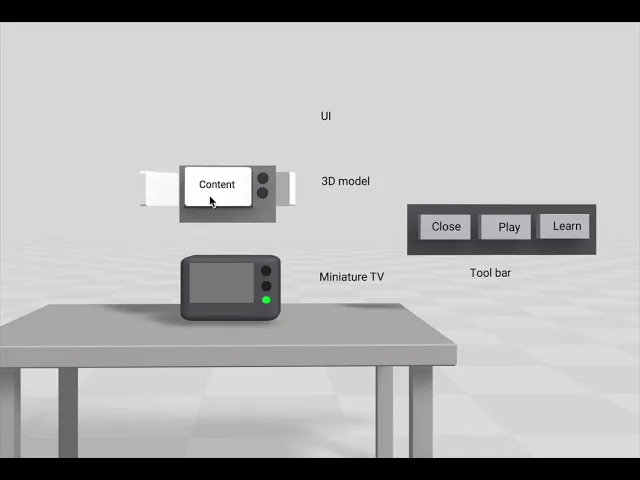
Physical controls first: press the red button on the miniature to power on, then rotate the cube to change channels.
A hand-placement guide shows where to put your hand, feedback turns green when the pose is correct
Part 1 — Retro TV interactions
Guided UI panels and virtual buttons teach how older TV models work.
Part 2 — Gesture-control TV
A present-day model controlled at the wave of a hand.
Unity Prototype
A physical dial, a digital twin
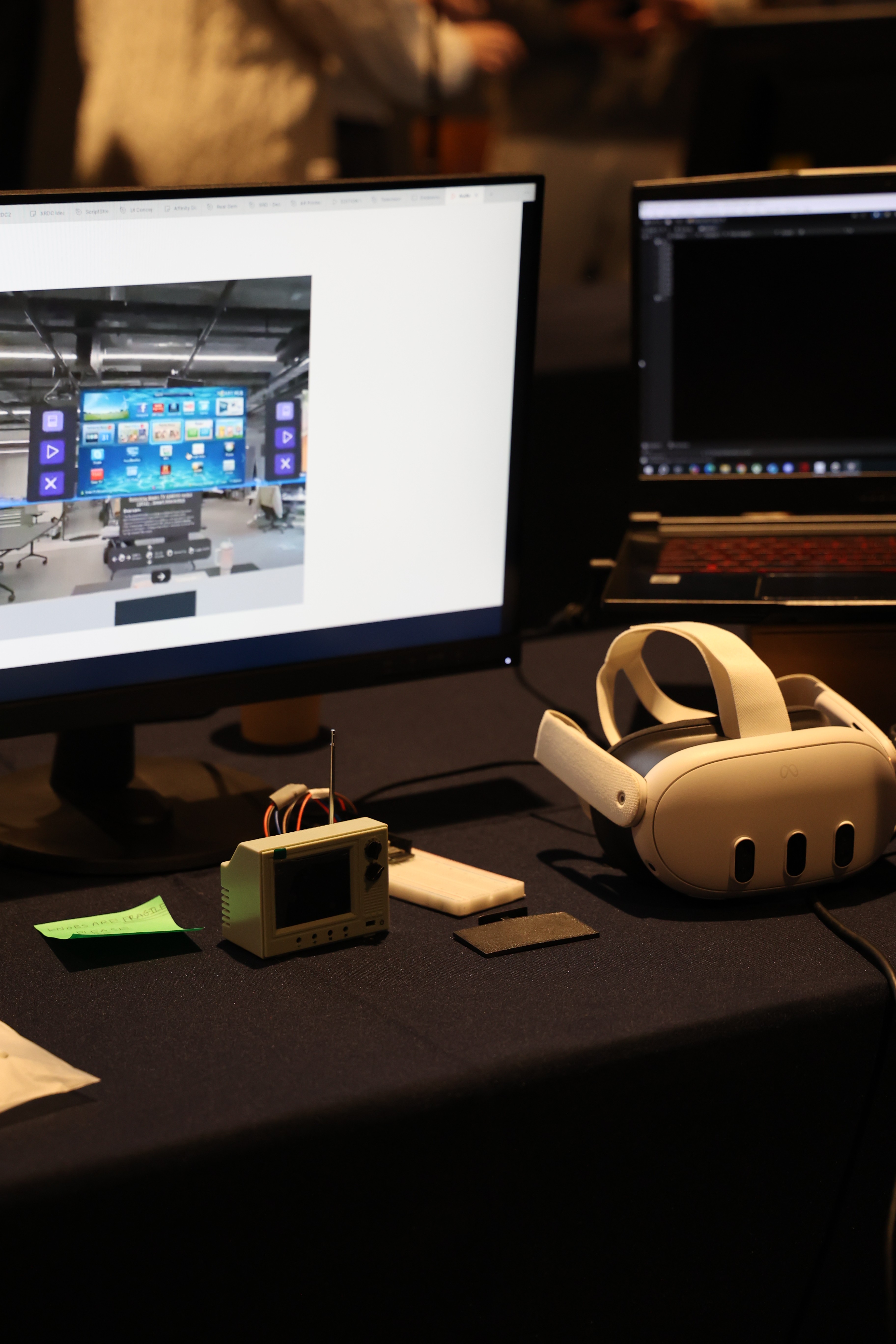
To bridge the physical and virtual, we sourced miniature TV models and wired them up. Using the Meta Quest 3 toolkit and Passthrough, we built a mixed-reality system where turning a real dial on a miniature retro TV changes the channel and volume on its virtual twin.
We also implemented gesture control — swipe, push and point to operate a modern smart TV.


Iterations
Past, Present, Future in one experience
The initial concept was a showcase of three TVs, one per era, navigated by floating UI panels. It came with problems. Four iterations got us to something testable.
01
UI and viewing direction
Horizontal panels were cluttered with text and took up too much navigation space. We switched to a vertical stack and condensed the copy on each panel.


02
Down to 2 televisions
Initially, a third screen-free "future" TV , controlled by a Bluetooth keyboard paired to the headset couldn't be implemented in time. We cut it to protect the quality of the other two.

03
Hardware Integration
Dials detached, components failed and needed resoldering — and once connected to Unity, there was noticeable delay between physical input and virtual output. We 3D-printed new knobs and rebuilt the ESP32 + breadboard assembly.


04
Working around tool limits
ShapesXR turned out to support only basic digital interactions — no MP4 playback, no hardware, no screen sharing during tests. So we repositioned it as our UI design tool, and moved gesture control, video playback and hardware into Unity for testing.
Evaluate
Putting headsets on strangers
Reflection
Designing for XR means designing for bodies, rooms and objects — not just screens.
Grounded in user research and built as two complementary prototypes, XRTV showed the educational value of interactive, immersive learning — especially for young learners. The hardest part was integrating the interface with human movement and real-world objects at the same time.
Testing also overturned our own assumption: the vertical layout we chose in Iteration 1 caused neck strain. Evidence beat team intuition.
Two methods, one question: can people learn an unfamiliar interface without being told how?
12 Moderated Usability Tests
Think-aloud while doing tasks, then post-task questions on clarity, engagement and confidence.
13 Exhibition Survey Responses
Visitors at the Endeavour Exhibition rated the experience and learning through MR.
What participants did, and what we watched for
Test Plan

Participants were asked to
Navigate the learning UI
Give feedback on the UI and navigation flow
What we watched for
Do they navigate correctly?
Can they see both the UI and the miniature TV?
Do they ask for more instructions?
To evaluate
Intuitiveness of control
Playful discovery
User confiedence
What we learned
Clarity, Visibility and System Feedback
Small text, no completion feedback, no overview and the vertical layout strained necks
What happened?
Users found text too small, the instruction panel gave no feedback when a task was completed, and there was no instructional overview before interaction, leaving people unsure where to begin. Contrary to our Iteration 1 assumption, some users reported neck discomfort with the vertical layout and asked for horizontal.
Future iteration
Larger type, explicit task-complete states, an upfront overview, and a return to a horizontal, eye-level layout.
Physical Control: Engaging but ambitious
The retro dial felt nostalgic and intuitive but users tried to touch the digital buttons instead
What happened?
Participants enjoyed the tangible retro model, yet the line between physical and virtual controls was unclear. The small model was easy to miss, and mismatches between dial position and virtual output caused minor issues. Engagement stayed high throughout.
Future iteration
Clearly signal which controls are physical, scale up the model, and tighten input-output alignment.
Gesture control: A clear divide
Small text, no completion feedback, no overview and the vertical layout strained necks
What happened?
Gestures were harder than dials. Inconsistent sensitivity, overlapping recognition (swipe down vs. push), and missing visual feedback frustrated some users. With no hand-placement guidance yet, people were unsure of position and timing but still saw gesture control as fun and highly interactive.
Future iteration
Add hand-position guides, distinct gesture sets, and instant visual/audio confirmation.
Learning through XR
Most participants preferred hands-on learning
What happened?
The retro-vs-modern comparison was a highlight. Users focused on interacting before reading, but engagement rose sharply once they began ‘Learn’. Most agreed active learning beats reading or lectures, especially for children, and saw uses beyond TV — like safe science experiments. Even XR first-timers found it accessible.
Future iteration
Shorten informational text and fold learning into interaction rather than separate panels.
XR Limit
Headset weight,cybersickness, and crowded spaces
What happened?
New headset users often felt overwhelmed and needed guidance. Weight and cybersickness caused neck strain, dizziness and nausea with longer use. Crowded or tight spaces disrupted calibration and made gestures hard to perform.
Future iteration
Design shorter sessions, plan the physical space carefully, and provide hands-on user support.
Participants were asked to
Navigate the learning mode
Turn retro and flat TV on and off according to the intrusctions
Control the flat TV by swipe, push and point
What we watched for
Can they start without help
Are their gestures recognised?
Where do they struggle?
To evaluate
Instant gesture feedback
Gesture accuracy
Unaided start